For private investigators
Surveillance logs that hold up, from the field to the report.
Record time-stamped observations on your iPhone, with or without signal. Organise them into structured logs and export them as a report in one tap.
iOS app and web app, one account. Android is planned for a later version.
Built for the field, not the office.
InvestiLog is designed so the record gets made at the time, not retyped later.
-
The pain
Notes scribbled on paper or in phone notes apps, retyped later.
How InvestiLog answers it
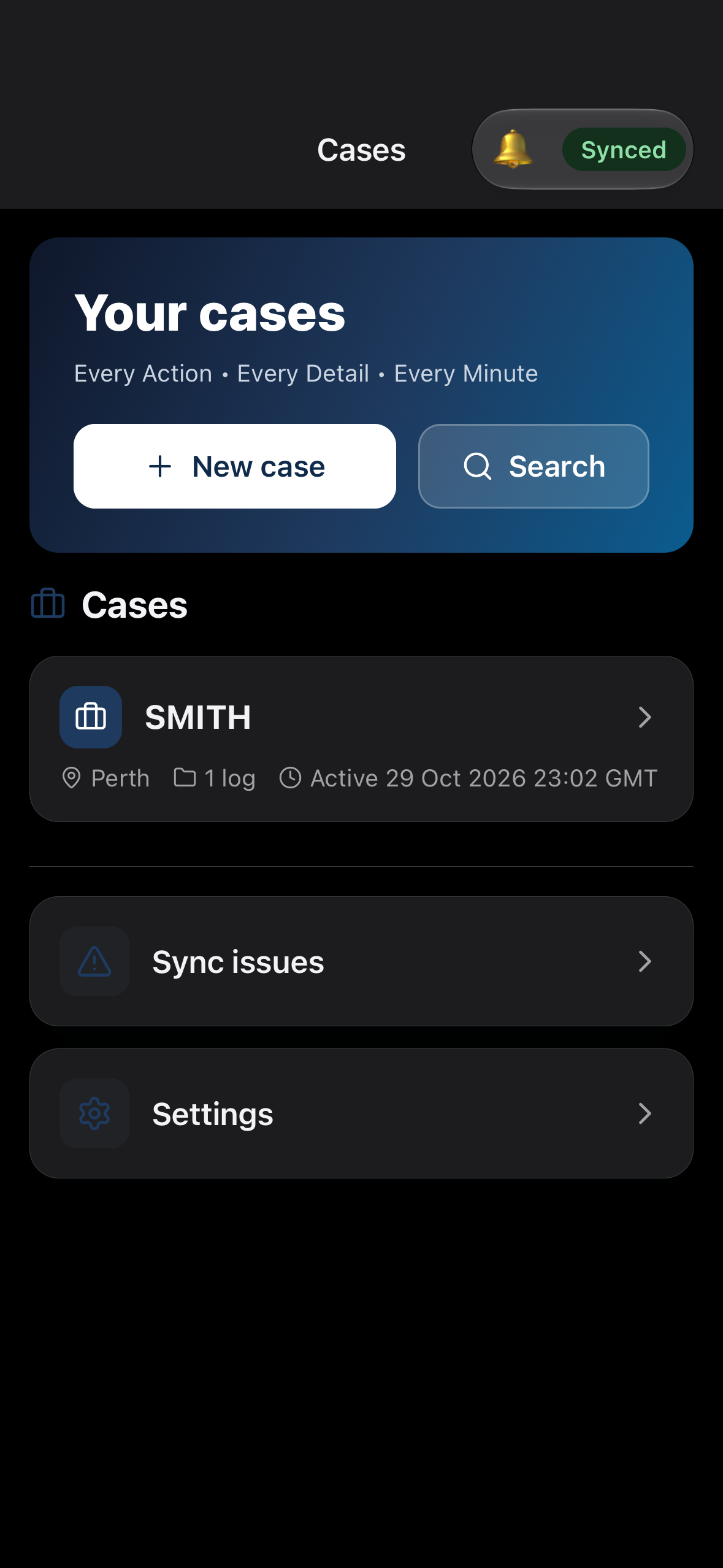
Observations are captured once in a structured log.
-
The pain
Typing while watching a subject means missing the moment.
How InvestiLog answers it
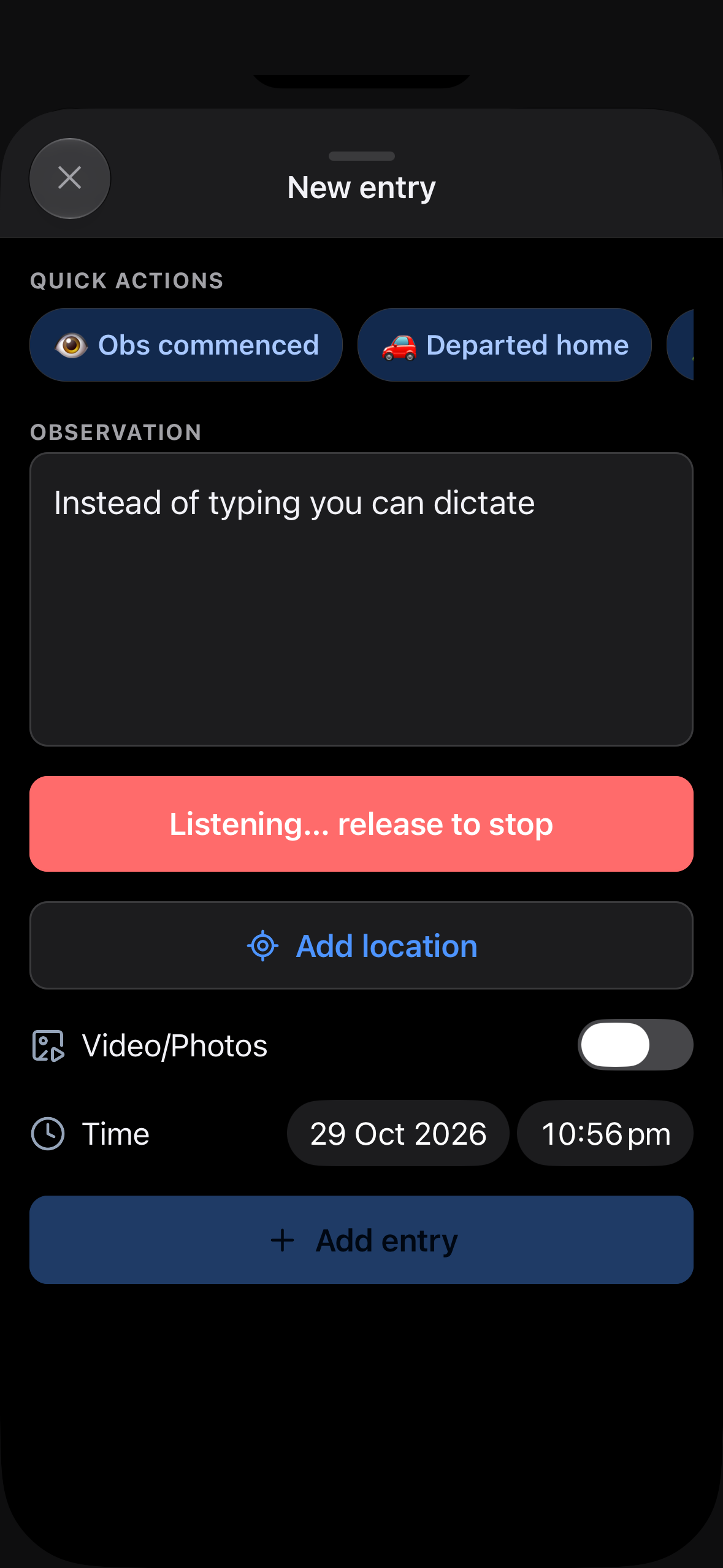
Hold-to-talk dictation. The text appears in the entry, ready to review.
-
The pain
Unclear when something actually happened.
How InvestiLog answers it
Every entry has an editable event time, plus a creation time that can never be changed.
-
The pain
Poor signal in the field loses work.
How InvestiLog answers it
Offline-first. Entries save on the device instantly and sync automatically later.
-
The pain
Writing up reports takes hours after a job.
How InvestiLog answers it
One-tap export of a log to PDF, Word, CSV or plain text, as a readable Time / Details table.
-
The pain
Sharing results with a colleague or client means sending loose files.
How InvestiLog answers it
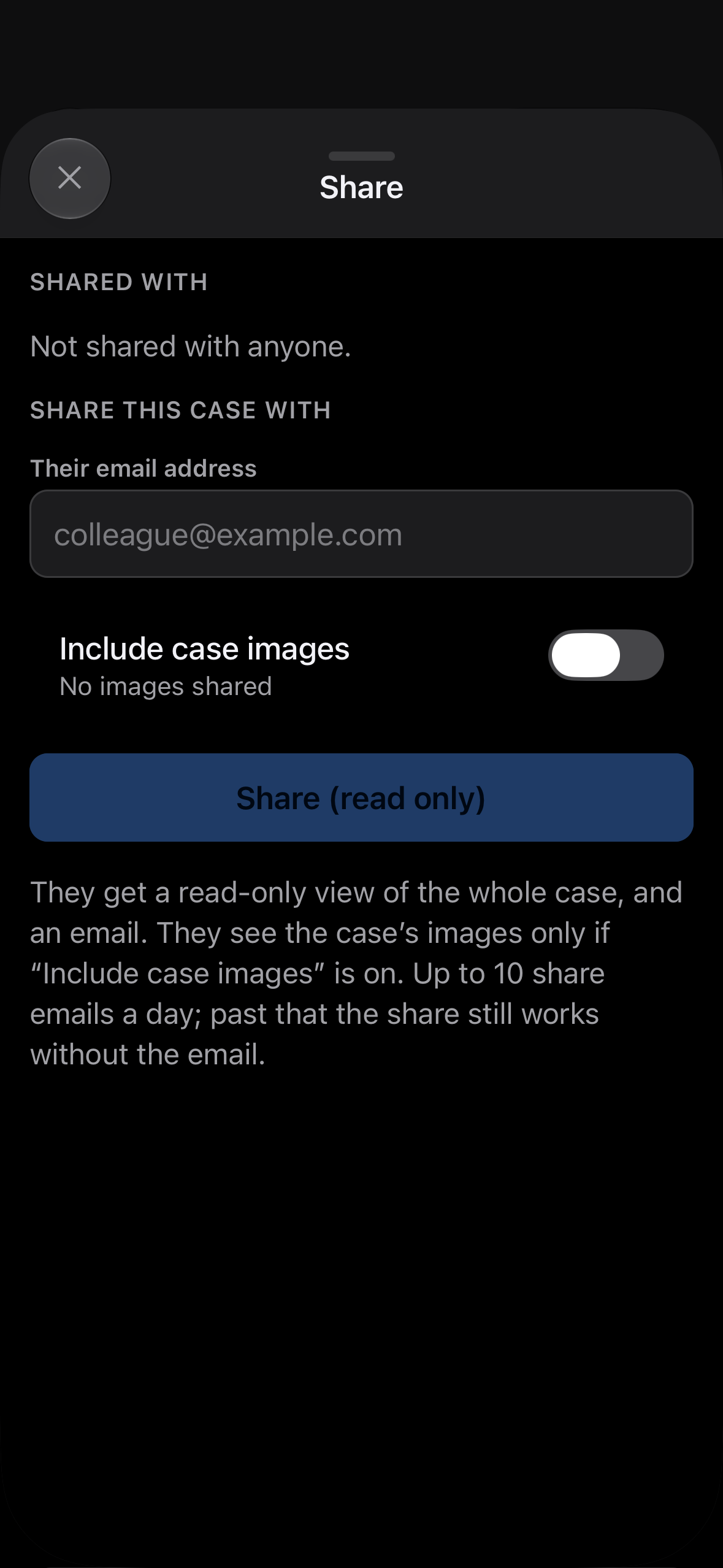
Share a whole case or a single log, read-only, with another InvestiLog user, and revoke it any time.
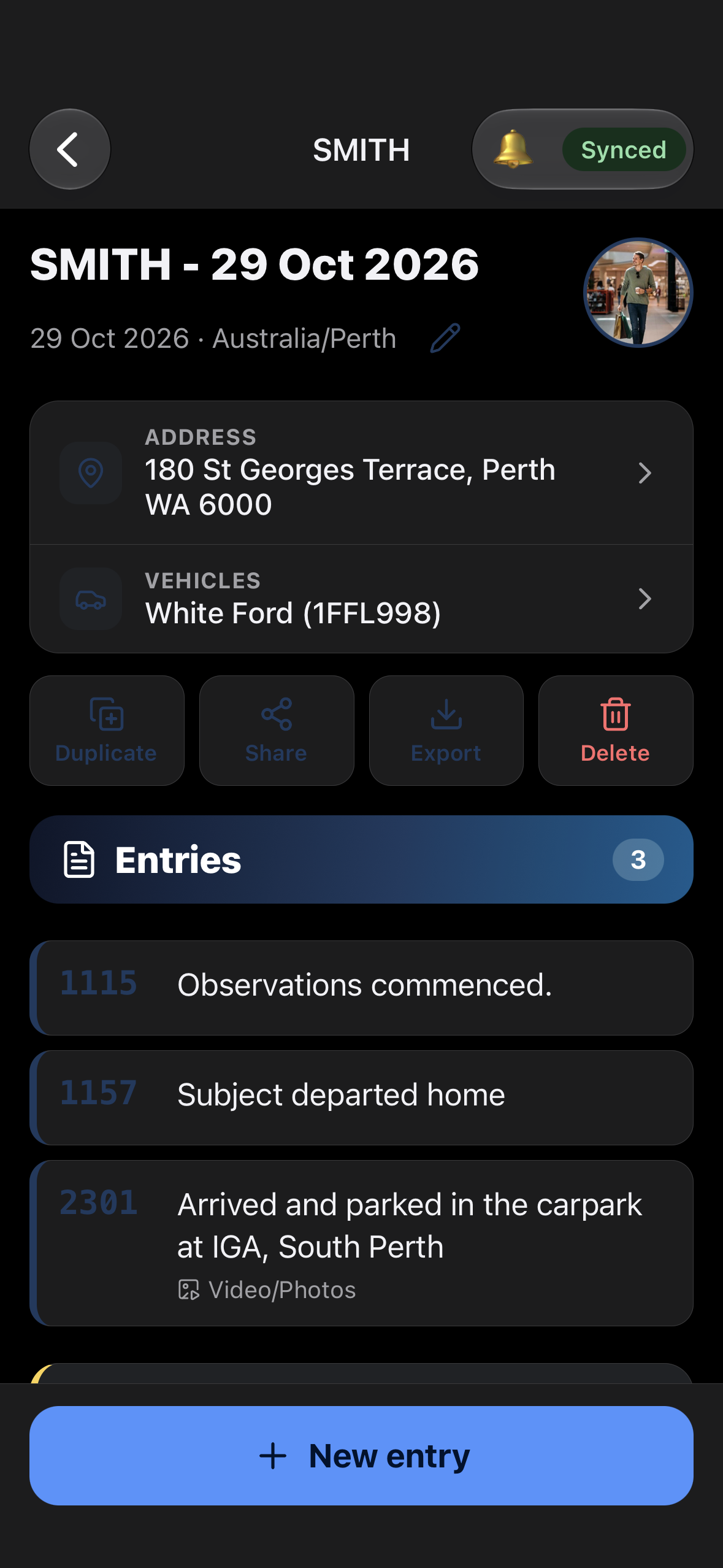
Cases, Logs & Entries
A simple structure that mirrors a job.
-
Case
A job: Surname & Suburb.
-
Log
One surveillance session within a case.
-
Entry
A single time-stamped observation within a log.
Features
What InvestiLog does, and nothing more than that.
-
Hold-to-talk voice dictation
Press and hold to dictate an observation. Review and edit before or after saving. Typing is always available alongside it.
-
Works offline
Record entries with no signal. Nothing is lost if the app closes. Clear status shows whether work is saved on the device, waiting to sync, or synced.
-
Accurate timestamps
Each entry has an editable event time (stored in UTC with the local time zone) and an immutable created time, so the record stands up to scrutiny.
-
Optional GPS
Add the device's coordinates to an entry with one tap. User-initiated only, never background tracking.
-
Quick actions
Personal templates, for example “🏠 Home: Claimant arrived home”, insert common observations in one tap.
-
Vehicles and addresses
Attach vehicles (make, model, colour, type, registration) and an address to a log, and reuse them on later logs in the same case.
-
Case photos
Up to 5 images per case, such as the target or a vehicle, with a category and caption. Adding a photo needs a connection.
-
Search
Find cases, logs and entry text. Works offline on the phone.
-
Exports
PDF, Word and CSV, plus copy as plain text. Exports include case and log titles, vehicles and GPS coordinates, and can be emailed to your own address.
-
Read-only sharing
Share a case or a single log with another user. They can view and export but not change anything. You can revoke access at any time.
-
Autosave
Edits save as you go, so there is no Save button to forget.
-
AI Integration
Get end of day summaries or ask chat about a case.
Planned for version 2.0
See it in use
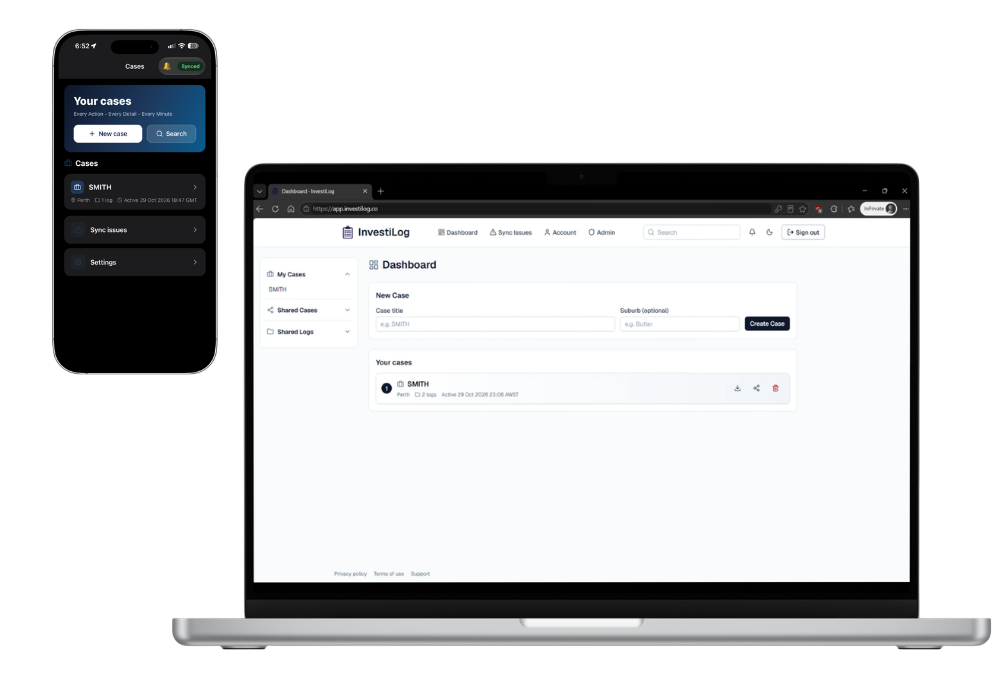
The iOS app for the field, and the web app for review and export.
.png)
Availability
-
iPhone first
Version 1.0 is iOS only. Android is planned for a later version.
-
Access by invitation
There is no public sign-up. Accounts are created by the administrator and users are invited by email.
-
Already invited?
Sign in to the web app at app.investilog.co.
Frequently asked questions
Does it work without signal?
Yes. The iOS app saves entries to the device and syncs when you're back online. The web app needs a connection.
Is it iPhone only?
For now, yes. Android is planned for a later release.
Does voice dictation work offline?
Yes, Dictation uses the phone's in-built speech recognition.
Can I change the time of an entry?
Yes, the event time is editable. The original created time is kept and can't be altered.
Can I share a case with someone else?
Yes, with another InvestiLog user, read-only. You can revoke it at any time.
What can I export?
A log as PDF, Word or CSV, or copy it as plain text.
Who can see my data?
Only you, and anyone you've shared a case or log with. Data is held in a private database with access enforced server-side, hosted in Sydney, Australia. Staff can't read your passwords. Records you delete are hidden immediately and permanently removed after 6 months. Full detail is in the privacy policy and terms.
How do I get an account?
Accounts are invited by the administrator. Use Request access or get in touch below.
Is my location tracked?
No. GPS is captured only when you tap to add it to an entry.
Get in touch
Want access, or have a question? Request access if you'd like an account. Otherwise send us a general enquiry.
Or email support@investilog.co. We'll reply within 5 business days.
Please don't include case details, passwords or anything about a client. Read our privacy policy.